MS Power BI Course
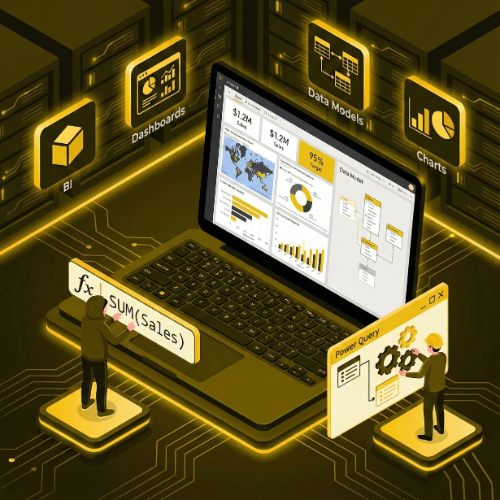
Our MS Power BI Course is designed to help you master one of the most powerful business intelligence tools for data analysis and visualization. You’ll learn how to import, clean, and transform data, create interactive dashboards, build dynamic reports, and use DAX formulas for advanced calculations. The course covers real-world business scenarios to help you understand how Power BI is used for performance tracking, KPI monitoring, forecasting, and decision-making. Through hands-on projects and practical exercises, you’ll gain the skills to turn raw data into meaningful insights and deliver professional, interactive dashboards for any industry.
MS Power BI Certification Training Course
Our MS Power BI Course is designed to help learners master business intelligence and data visualization using Microsoft Power BI. This course focuses on transforming raw data into meaningful insights through interactive dashboards, reports, and analytics. Learners will gain hands-on experience with data modeling, visualization techniques, DAX formulas, and real-world business scenarios. Whether you are a student, business analyst, data professional, or someone looking to upskill in business intelligence, this course provides the practical knowledge to make data-driven decisions in any organization.
- Introduction to Power BI & Business Intelligence
- Power BI Desktop Overview
- Connecting to data sources: Excel, CSV, SQL, cloud data
- Data transformation using Power Query
- Data modeling: relationships, hierarchies, calculated columns
- DAX (Data Analysis Expressions) basics and advanced formulas
Power BI is one of the most popular BI tools used in modern organizations to analyze data, monitor business performance, and create actionable insights. This course covers Power BI Desktop, Power BI Service, data transformation, data modeling, DAX calculations, interactive dashboards, KPIs, and advanced visualization techniques Enroll now and become a certified Power BI professional capable of creating impactful dashboards and reports for real-world business analytics! By the end of this course, learners will be able to connect to multiple data sources, clean and transform data, create advanced reports, and share insights with stakeholders effectively.
What will I learn?
- Ability to connect, clean, and transform data from multiple sources
- Skills to create interactive reports and dashboards using Power BI
- Knowledge of DAX formulas for data analysis and calculations
- Ability to monitor business KPIs and make data-driven decisions
- Practical experience with real-world business analytics projects
Requirements
- Basic understanding of computers & Excel
- Laptop/PC capable of running Power BI Desktop
- No prior programming experience required
- Interest in business intelligence, data visualization, and reporting
Start Your Enrollment
We are variations of passages the have suffered.
Why Choose Us ?
Our MS Power BI Course is designed to help students and professionals master data visualization, business intelligence, and interactive reporting using Microsoft Power BI. At TCIIT, we focus on practical, hands-on training that enables you to transform raw data into meaningful insights and dashboards for decision-making. You will learn data import, data modeling, DAX, visualization techniques, dashboard creation, and real-time reporting using live datasets. Our expert faculty ensures you gain industry-ready skills to analyze trends, monitor KPIs, and present actionable insights effectively. Choose us for practical projects, real-world datasets, expert mentorship, and career-focused training for roles like BI Analyst, Data Analyst, Reporting Analyst, and Dashboard Developer.
Diverse Career Opportunities in MS Power BI: Exploring Analytics and Visualization Roles in India’s Data-Driven Industry
In India, proficiency in MS Power BI opens doors to high-demand career opportunities across sectors such as IT, finance, healthcare, retail, e-commerce, telecom, and consulting. Leading organizations like Deloitte, Accenture, IBM, Microsoft, Amazon, and TCS actively hire Power BI professionals to transform complex data into interactive dashboards, reports, and business intelligence solutions that drive strategic decision-making. Power BI specialists are highly valued for their ability to connect to multiple data sources, create dynamic visualizations, design automated dashboards, and deliver actionable insights. Their work enables businesses to monitor performance, identify trends, optimize operations, and make informed decisions efficiently. Salary packages vary based on skill level and experience. In India, the average annual salary for a Power BI professional ranges from 600,000 to 1,100,000 INR, while in the USA it is approximately $90,000 per year, reflecting strong global demand and excellent earning potential in the field of data visualization and business intelligence.
Get MS Power BI Certification
Three easy steps will unlock your MS Power BI Certification
- Complete the online/offline MS Power BI Course along with all required assignments.
- Work on and successfully complete multiple industry-based Power BI projects, including dashboards, reports, and interactive data visualizations.
- Pass the MS Power BI Certification Exam to earn your verified, industry-recognized certificate.
The certificate for this MS Power BI course will be delivered through our learning management system (LMS). You can download it anytime and add the certificate link to your CV, resume, or LinkedIn profile to highlight your skills in data visualization and business intelligence.