Hardware Networking Course

This course teaches you the fundamentals of computer hardware and networking. You will learn how to assemble, maintain, and troubleshoot computers, as well as set up and manage networks. Ideal for students and beginners looking to start a career in IT support or network administration.
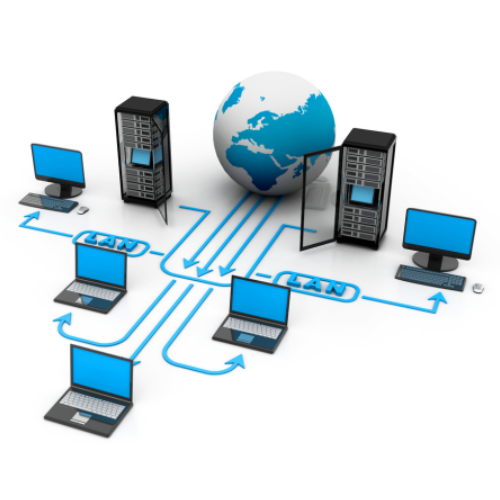
thumb

Hardware & Networking Training Course

Our Hardware & Networking Course is designed to provide comprehensive knowledge of computer hardware, operating systems, networking concepts, and IT infrastructure support. This course covers essential topics such as assembling and troubleshooting computers, installing operating systems, configuring networks, managing devices, and resolving hardware/software issues. Whether you are a beginner or looking to build a technical IT career, this training provides hands-on practice with real-world systems to prepare you for job roles such as IT technician, system support engineer, desktop support engineer, or network technician.

  • Computer hardware components and architecture
  • System assembly, setup, and troubleshooting
  • BIOS & CMOS configuration
  • Operating system installation and configuration
  • Drivers, updates, and system maintenance
  • Networking fundamentals (LAN, WAN, Wi-Fi, IP addressing)
  • Network devices (Routers, Switches, Access Points)
  • Network configuration and troubleshooting
  • Security and data protection fundamentals

The global demand for IT support and networking professionals continues to grow as organizations depend heavily on reliable digital infrastructure. This course equips learners with strong foundational knowledge in hardware maintenance, network configuration, system security, and troubleshooting techniques Enroll now and start your journey toward a successful career in IT support, hardware engineering, and networking technology! Through guided labs, workshops, and practical scenarios, you will gain the confidence to diagnose and solve computer and network-related issues efficiently. This course also helps you prepare for advanced certifications like CompTIA A+, N+, CCNA, and Microsoft IT certifications, enabling you to grow in the IT support and networking domain.

What will I learn?

  • Ability to assemble, configure, and troubleshoot computer systems
  • Practical networking knowledge and hands-on configuration skills
  • Skills to manage system performance, security, and maintenance
  • Expertise in solving real-world IT hardware and networking issues
  • Preparedness for entry-level technical support and IT roles

Requirements

  • Basic understanding of using a computer
  • No previous technical knowledge required
  • Willingness to learn and practice hands-on tasks
  • Interest in IT support, hardware repair, and networking

Hardware Networking Course Content

COMPUTER HARDWARE
Introduction to IT Fundamentals
  • IT Fundamentals provides the basic understanding of how computers work and how technology supports businesses. It covers
  • Basic computer components
  • Software vs hardware
  • IT careers and certifications
  • Data and file management
  • Troubleshooting methodology
PC Hardware
  • Motherboard – Main circuit board connecting all components.
  • CPU (Central Processing Unit) – Brain of the computer.
  • RAM (Random Access Memory) – Temporary storage for running programs.
  • Power Supply Unit (PSU) – Converts electricity to usable power.
  • Storage Devices – HDD, SSD, NVMe.
  • Expansion Cards – Graphics, sound, and network cards.
  • Cooling Systems – Fans, heatsinks, liquid cooling.
  • Input/Output Devices – Keyboard, mouse, monitor, printer.
Networking
  • Types of networks – LAN, WAN, MAN, PAN.
  • Network devices – Router, switch, modem, access point.
  • IP Addressing – IPv4, IPv6.
  • DNS, DHCP, and Subnetting
  • Wi-Fi standards (802.11a/b/g/n/ac/ax)
  • Network cables – Ethernet (Cat5e, Cat6), fiber optic.
Mobile Devices
  • Smartphones, tablets, and laptops
  • Mobile OS – Android, iOS.
  • Wireless technologies – Bluetooth, NFC, Wi-Fi.
  • Mobile synchronization – Cloud sync, USB sync.
  • Security features – Biometrics, remote wipe.
Operating Systems
  • Popular OS – Windows, Linux, macOS.
  • File systems – NTFS, FAT32, ext4.
  • User interfaces – GUI vs CLI.
  • OS installation and upgrades
  • Task management and services
  • User accounts and permissions
Security
  • Threat types – Malware, phishing, ransomware.
  • Authentication – Passwords, multi-factor authentication.
  • Encryption – Data protection.
  • Firewall and antivirus
  • Security best practices – Updates, backups, awareness.
Software Troubleshooting
  • Slow performance
  • App crashes
  • OS boot failures
  • Update and patch issues
  • Event Viewer and logs
  • Safe Mode, System Restore
Operational Procedures
  • Documentation and change management
  • Safety and ESD prevention
  • Licensing and compliance
  • Backup and recovery
  • Communication and professionalism
Hardware and Network Troubleshooting
  • POST errors, beeps
  • No display/output
  • Peripheral issues
  • Network not connecting
  • Slow or intermittent connection
  • Using diagnostic tools – Multimeter, loopback plug.
Virtualization and Cloud Computing
  • Virtual Machines (VMs) – Running multiple OSes on one machine.
  • Hypervisors – Type 1 (bare-metal) and Type 2 (hosted).
  • Cloud services – SaaS, PaaS, AaaS.
  • Cloud deployment models – Public, Private, Hybrid.
Access BIOS/UEFI Settings
  • Enter BIOS/UEFI – Usually via Del, F2, Esc during boot.
  • Change boot order
  • Enable/disable hardware features
  • Check hardware status (CPU, RAM, fan speeds)
Boot Order Configuration
  • Ensures correct device boots:
  • Configure boot priority – e.g., SSD → USB → Network.
  • Used for OS installation or repair.
Diagnostic Tools
  • Tools used to analyze and fix issues:
  • BIOS/UEFI diagnostics
  • Windows Memory Diagnostic
  • CHKDSK and SFC
  • Device Manager
  • Third-party tools – MemTest86, CrystalDiskInfo.
External Boot Media
  • Used to boot when internal OS is corrupted:
  • USB flash drives with bootable OS installers
  • Live Linux environments
  • Windows Recovery Drive or Installation Media
  • Tools like Hiren’s BootCD
Check for Operating System Issues
  • Boot loops, BSOD (Blue Screen of Death)
  • Corrupt files
  • Missing boot files
  • Update failures
  • Use tools like Safe Mode, System Restore
Replace Hard Drive
  • Symptoms – Clicking sounds, slow access, no boot.
Steps:
  • Backup data (if possible).
  • Replace with SSD or HDD.
  • Reinstall OS and drivers.
Seek Professional Assistance
  • If the issue is too advanced:
  • Data recovery services
  • Hardware repair specialists
  • Warranty service providers
  • IT support teams for enterprise issues
NETWORKING
Networking Concepts
  • Fundamental principles and terminology of networking
  • Types of Networks: LAN, WAN, MAN, PAN
  • Topologies: Star, Mesh, Bus, Ring, Hybrid
  • Protocols: TCP/IP, UDP, ICMP, HTTP, FTP, etc.
  • OSI and TCP/IP Models: Layers, functions, and how data flows through them
  • Bandwidth vs Throughput vs Latency
  • Ports and Protocols: E.g., HTTP (80), HTTPS (443), FTP (21), DNS (53)
Infrastructure
The physical and virtual components needed for network connectivity
  • Network Devices
  • Switches (Layer 2/3)
  • Routers
  • Firewalls
  • Access Points
  • Modems
  • Cabling Types
  • Copper (Ethernet – Cat5e, Cat6, etc.)
  • Fiber Optic (Single-mode, Multi-mode)
  • Data Centers and Racks
  • Power over Ethernet (PoE)
  • Patch Panels and Structured Cabling
Network Operations
How networks are monitored, managed, and maintained
  • Monitoring Tools: SNMP, Syslog, NetFlow
  • Performance Metrics: Packet loss, latency, jitter
  • Configuration Management
  • Change Management
  • Disaster Recovery and Redundancy
  • NOC (Network Operations Center)
  • Network Security
  • Protecting network infrastructure from threats and vulnerabilities:
  • Common Threats: DoS, Man-in-the-Middle, Phishing, Malware
  • Security Devices
  • Firewalls (stateful/stateless)
  • Intrusion Detection/Prevention Systems (IDS/IPS)
  • Authentication & Access Control
  • RADIUS, TACACS+, AAA
  • Multi-Factor Authentication (MFA)
  • Encryption: VPNs (IPsec, SSL), TLS/SSL
Network Troubleshooting and Tools
Identifying and resolving network issues
  • Troubleshooting Methodology: Identify, Establish theory, Test theory, Plan of action, Verify, Document
Tools
  • ping, tracert/traceroute
  • nslookup/dig
  • ipconfig/ifconfig
  • netstat
  • Wireshark
  • Cable tester, Toner probe
Routing and Switching
Switching Concepts
  • MAC Address Table
  • VLANs and Trunking (802.1Q)
  • Spanning Tree Protocol (STP)
Routing Concepts
  • Static vs Dynamic Routing
  • Routing Protocols: RIP, OSPF, EIGRP, BGP
  • Route Summarization
  • Routing Tables and Metrics
  • Inter-VLAN Routing
Wireless Networking
Wireless technologies and configurations
  • Wi-Fi Standards: 802.11a/b/g/n/ac/ax
  • Frequencies: 2.4 GHz vs 5 GHz vs 6 GHz (Wi-Fi 6E)
Security
  • WPA2, WPA3
  • EAP methods
  • SSID, BSSID
  • Roaming and Handoff
  • Site Surveys and Signal Strength
  • Antennas (Omni vs Directional)
IPv4 and IPv6 Addressing
IPv4
  • Address classes (A, B, C, etc.)
  • Subnetting and CIDR notation
  • Private vs Public IPs
  • NAT, PAT
IPv6
  • 128-bit addressing
  • Address types: Unicast, Multicast, Anycast
  • Stateless Address Autoconfiguration (SLAAC)
  • Link-local, Global Unicast, Unique Local
Wide Area Networks (WANs)
WAN Technologies
  • MPLS
  • Metro Ethernet
  • DSL
  • Cable
  • Fiber
  • Satellite
  • Leased Lines (T1/E1)
  • VPNs and Tunnels
  • WAN Optimization Techniques
  • Carrier/ISP Infrastructure

Start Your Enrollment

We are variations of passages the have suffered.

Why Choose Us ?

Our Hardware & Networking Course is designed to build strong technical skills for students, beginners, and professionals who want to enter the IT support and networking field. We provide practical, step-by-step training on computer hardware, assembling & troubleshooting, network setup, IP configuration, LAN/WAN concepts, and system maintenance. The course follows industry standards with hands-on lab sessions and real-time problem-solving. With expert instructors, practical demonstrations, and job-oriented modules, you gain the confidence to manage, repair, and support computer systems and networks efficiently in workplaces.

Diverse Career Opportunities in Hardware & Networking: Exploring IT Support and Infrastructure Roles in India’s Technology Industry

In India, expertise in Hardware & Networking provides strong career opportunities across IT support, enterprise networking, system administration, data centers, cybersecurity, telecom services, and cloud infrastructure. Major companies including Dell, HP, Lenovo, Cisco, Infosys, TCS, Wipro, HCL, Airtel, Jio, and countless IT service providers hire skilled hardware and networking professionals to install, maintain, troubleshoot, and secure computer systems and networks. Hardware & Networking specialists are valued for their ability to assemble systems, diagnose hardware issues, manage operating systems, configure network devices, troubleshoot LAN/WAN setups, ensure network security, and support daily IT operations in organizations. Their role is essential in maintaining uninterrupted connectivity, reducing downtime, protecting digital assets, and keeping business operations running smoothly. Salary packages depend on skills, industry, and experience. In India, the average annual salary for a Hardware & Networking Engineer ranges from 300,000 to 600,000 INR, while in the USA it typically ranges between $50,000 to $80,000 per year, reflecting stable global demand and consistent career growth in the IT infrastructure domain.

Get Hardware & Networking Certification

Three Easy Steps to Unlock Your Hardware & Networking Certification

  • Complete the online or offline Hardware & Networking Training Course and all assigned modules.
  • Successfully complete real-world networking projects and hardware setup tasks.
  • Pass the Hardware & Networking Certification Exam to earn your official certificate.

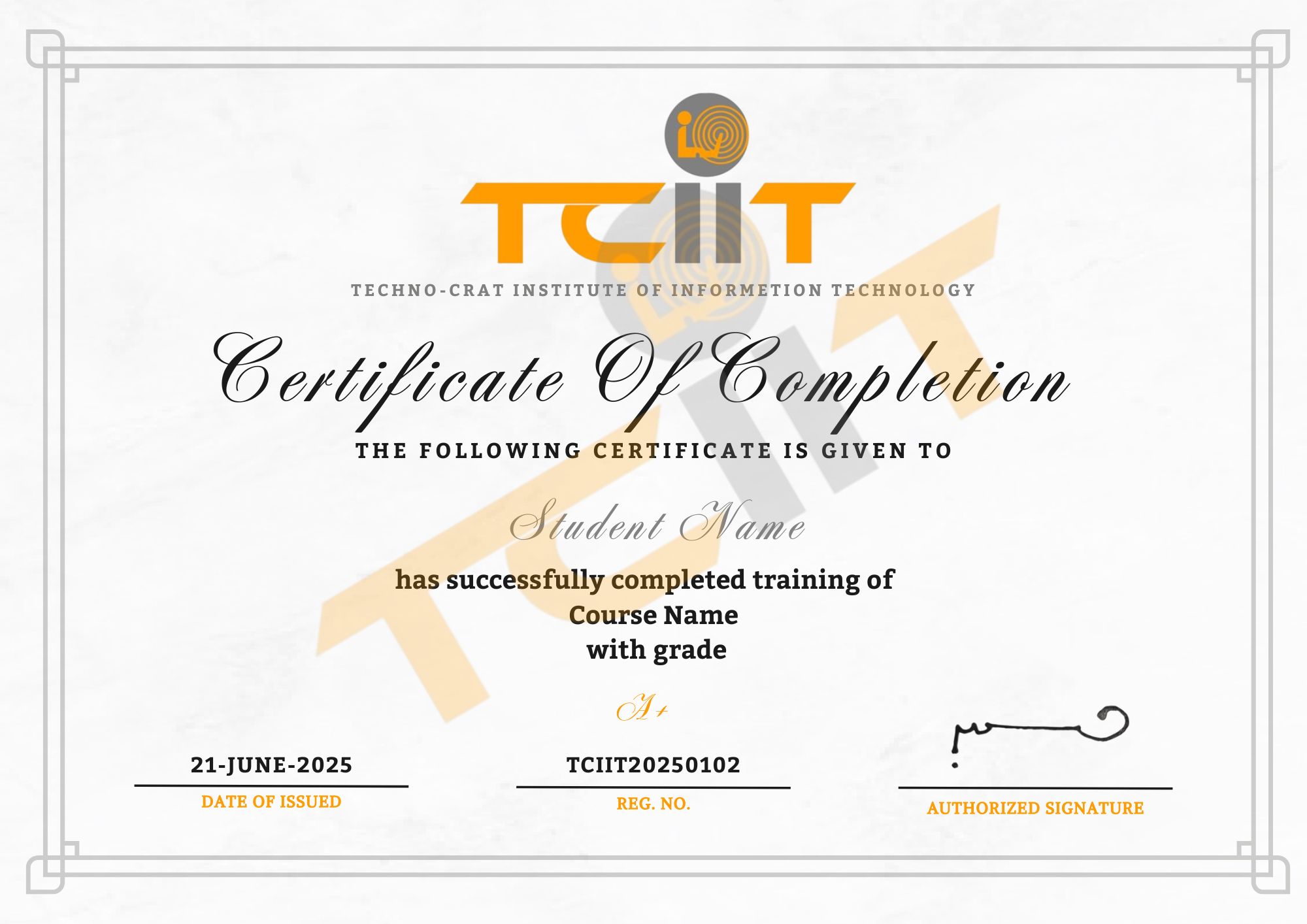
The certificate for this Hardware & Networking course will be issued through our Learning Management System (LMS), where you can easily view and download it. You can also add the certificate link to your CV or LinkedIn profile to showcase your technical expertise.

thumb
whatsapp